 Vonode
Host computer
- 64-bit x86 (amd64) Linux: Debian 12, Ubuntu 22.04 or later, or Fedora
- Root access and the full iproute2 package
- ARM (arm64) boards: planned for 1.3.1, not supported in this release
Node software
The node software turns a 64-bit Linux computer with cellular modules into the node that the Vonode app manages. It has no web interface: install it, pair it with the app, and manage everything there.
Check the full list on the hardware page before you buy anything.
Before you start, stop ModemManager, which competes for the modem ports, and check that Linux sees the module:
$ sudo systemctl disable --now ModemManager$ lsusb | grep -i -E 'quectel|2c7c|qualcomm|05c6'$ ls /dev/ttyUSB* /dev/cdc-wdm*
You should see one Quectel line, four ttyUSB ports and one cdc-wdm port per module.
For this release, install the systemd package: it installs the node as two services, without Docker. A Docker Compose setup is coming soon; its steps are shown for reference, but the commercial image is not published yet. Pairing and plans work the same way with either.
Recommended for this release. The systemd package installs the node as two services, without Docker.
Download the release archive for your version and check its SHA-256 checksum.
$ curl -fLO https://github.com/vonode/vonode-releases/releases/download/<version>/vonode_<version>_linux_amd64_commercial.tar.gz$ curl -fLO https://github.com/vonode/vonode-releases/releases/download/<version>/vonode_<version>_linux_amd64_commercial.tar.gz.sha256$ sha256sum -c vonode_<version>_linux_amd64_commercial.tar.gz.sha256$ tar -xzf vonode_<version>_linux_amd64_commercial.tar.gz
The installer puts the program in /opt/vonode, keeps an existing configuration and database, creates the system user vonode-gateway and starts two services: vonode, and vonode-gateway, the encrypted SSH gateway the app connects to.
$ cd vonode_<version>_linux_amd64_commercial$ sudo ./install.sh
Use the address the phone will use. Add -port <port> if you forward a different port.
$ sudo /opt/vonode/vonode pair -c /opt/vonode/config/config.yaml -host node.example.comThe commercial Docker image is not published yet.
Until it is, setup.sh stops and asks for an image: pass --image vonode/vonode@sha256:<digest> from the release notes, or use the (sudo ./install.sh in the top folder of the package, one level above docker/), which is the supported install path for this release.
Docker's convenience script works on Debian, Ubuntu and Fedora. The last command must print a Compose v2 version.
$ curl -fsSL https://get.docker.com | sh$ sudo systemctl enable --now docker$ docker compose version
Every release is published on the Vonode node releases page with its SHA-256 checksum, the software bill of materials and the source of its GPL and LGPL components.
$ curl -fLO https://github.com/vonode/vonode-releases/releases/download/<version>/vonode_<version>_linux_amd64_commercial.tar.gz$ curl -fLO https://github.com/vonode/vonode-releases/releases/download/<version>/vonode_<version>_linux_amd64_commercial.tar.gz.sha256$ sha256sum -c vonode_<version>_linux_amd64_commercial.tar.gz.sha256$ tar -xzf vonode_<version>_linux_amd64_commercial.tar.gz
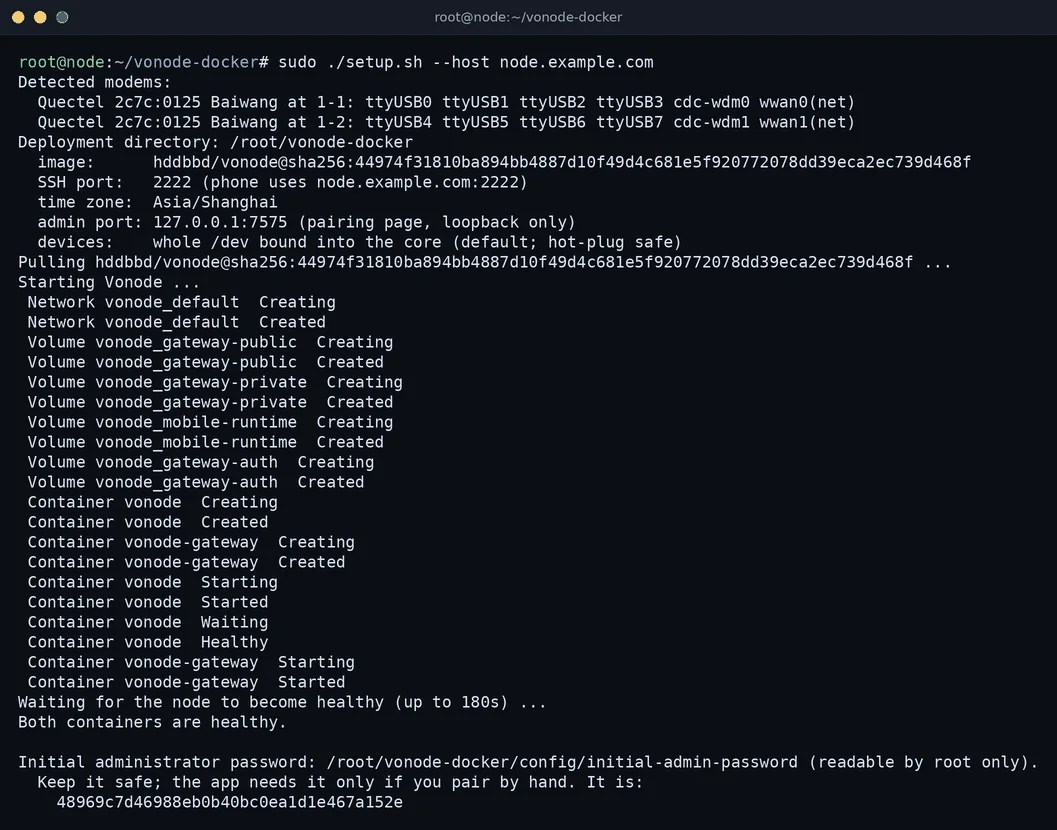
--host is the domain or IP address the phone will use to reach the node. The script checks the host, lists the modules it found, starts the vonode and vonode-gateway containers, waits until both are healthy and prints the pairing QR code.
$ cd vonode_<version>_linux_amd64_commercial/docker$ sudo ./setup.sh --host node.example.com
Install Vonode from the App Store (free download). Allow TCP port 2222 through the host firewall and, if the phone will connect from outside, forward it on your router. A pairing code is valid for five minutes and works once.
$ sudo ufw allow 2222/tcp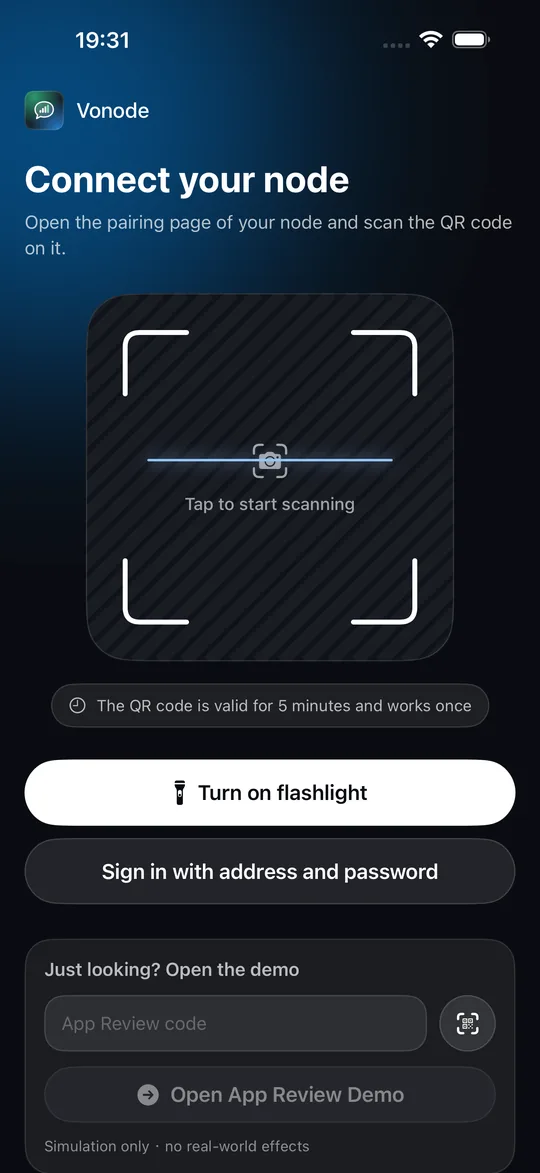
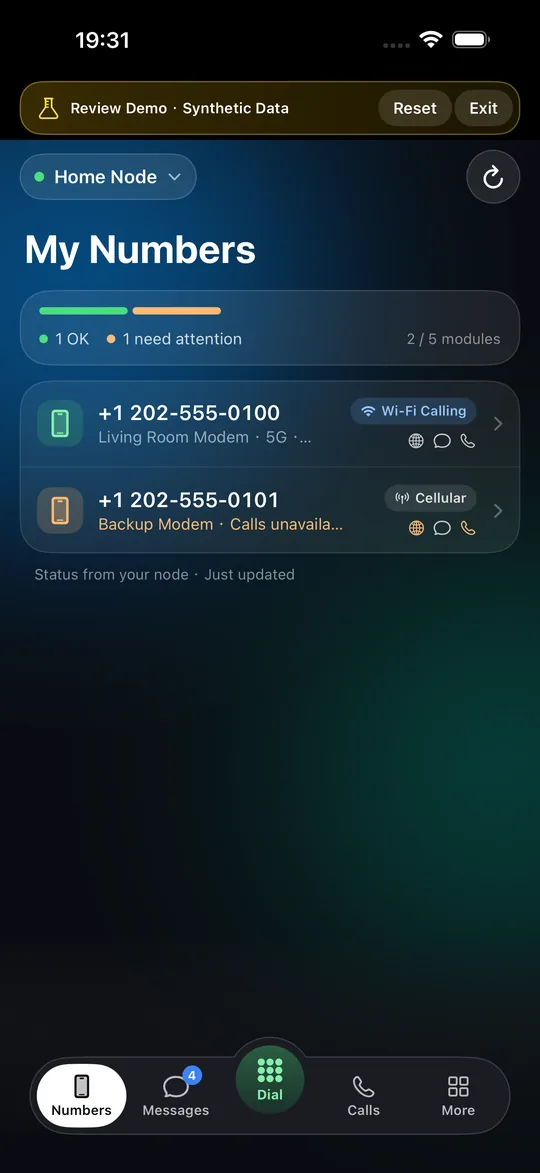
Need a new code later? Run the pair command again:
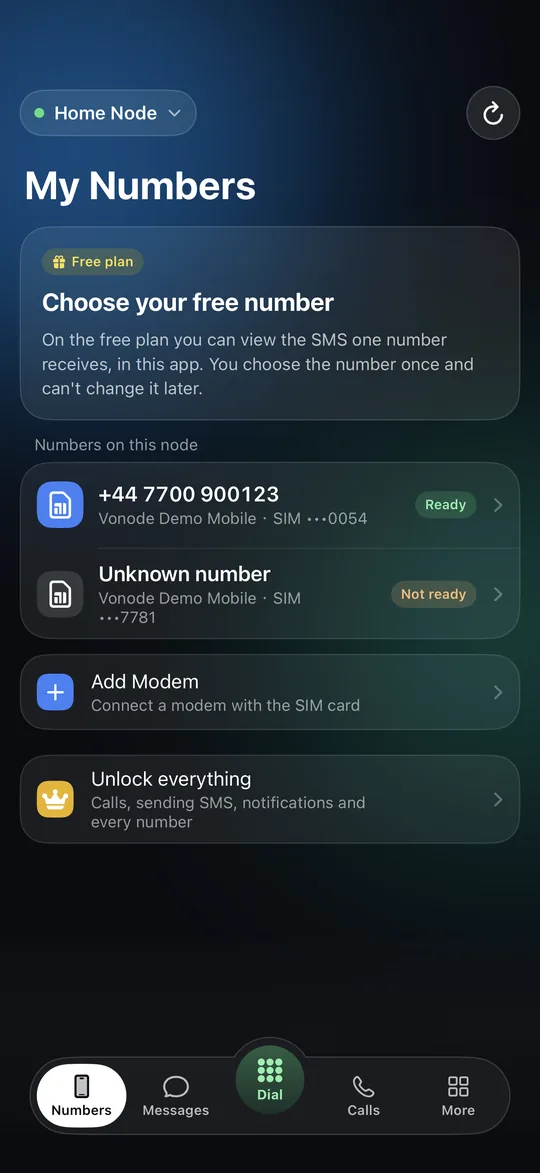
$ sudo /opt/vonode/vonode pair -c /opt/vonode/config/config.yaml -host node.example.comWithout a subscription, the node runs the free plan. Every other feature needs a subscription, bought in the app; one subscription unlocks one node.
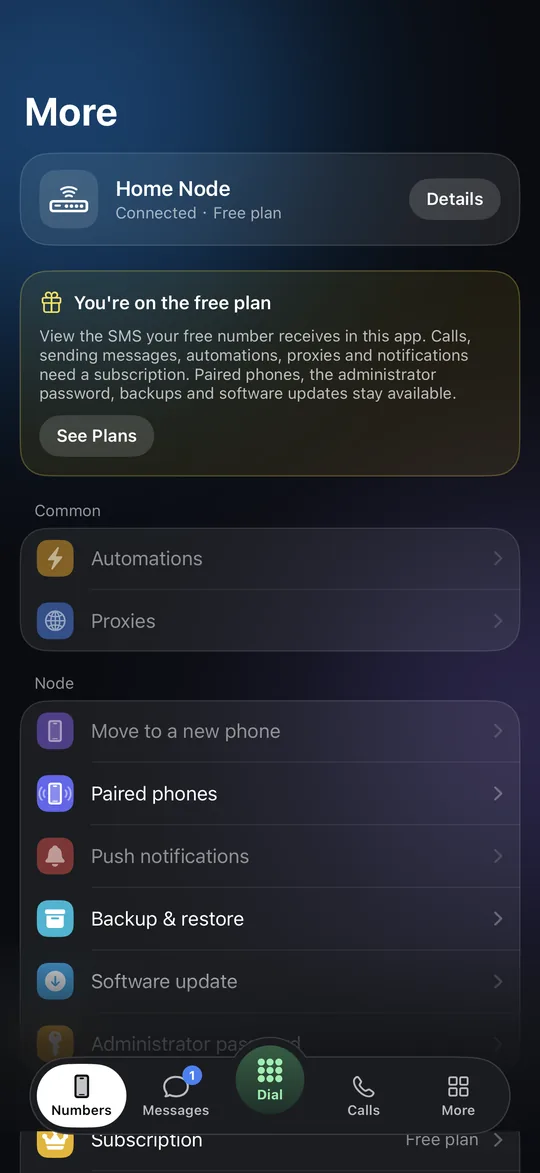
With the systemd package, the node runs as two services, vonode and vonode-gateway. Once the Docker setup is available, the equivalent commands run in the package's docker/ folder.
$ systemctl status vonode vonode-gateway$ journalctl -u vonode -f
Both services should be active (running).
$ sudo systemctl restart vonode$ sudo systemctl stop vonode$ sudo /opt/vonode/vonode reset-password -c /opt/vonode/config/config.yaml$ sudo systemctl start vonode
Stop the service, reset the password and start it again. All phones are signed out and pair again.
$ sudo docker compose ps$ sudo docker compose logs -f vonode
Status and logs with the Docker setup, in the docker/ folder.
Restarting or stopping takes up to two minutes: the node de-registers Wi-Fi calling and closes its tunnels first. Keep the SSH host key that paired phones pin: with Docker it is in the vonode_gateway-private volume, so never run docker compose down -v.
ModemManager takes the serial ports before Vonode does. Disable it, then restart the node (with Docker, run sudo ./setup.sh again instead):
$ sudo systemctl disable --now ModemManager$ sudo systemctl restart vonode
If lsusb shows nothing from Quectel (2c7c), try another cable and port, use a powered hub and check dmesg for USB power errors. If lsusb lists the modem but /dev/ttyUSB* is missing, load the drivers, then unplug and replug the module:
$ sudo modprobe -a option qmi_wwanFrom a device outside your network, test the port. No answer means the router forward or firewall is wrong, or your internet provider uses carrier-grade NAT; then run a VPN between the phone and the host and pair with the host's VPN address.
$ nc -vz node.example.com 2222Codes last five minutes and work once. Create a new one with the pair command shown in Pair the app.
The step-by-step guide covers buying hardware, every setup.sh option, moving to new hardware and more troubleshooting.
The node software is proprietary software of VONODE LLC. Third-party components and their licenses are listed in the package's THIRD_PARTY_NOTICES.txt and SBOM. It includes strongSwan (GPL-2.0-or-later) and statically linked glibc and GMP (LGPL), whose corresponding source is published with each release. Vonode is not an emergency service: use it only with SIMs, numbers and networks you are authorized to use.